> ## Documentation Index
> Fetch the complete documentation index at: https://docs.1price.co/llms.txt
> Use this file to discover all available pages before exploring further.
# Build: Experiment
> The basis of comparing two offers
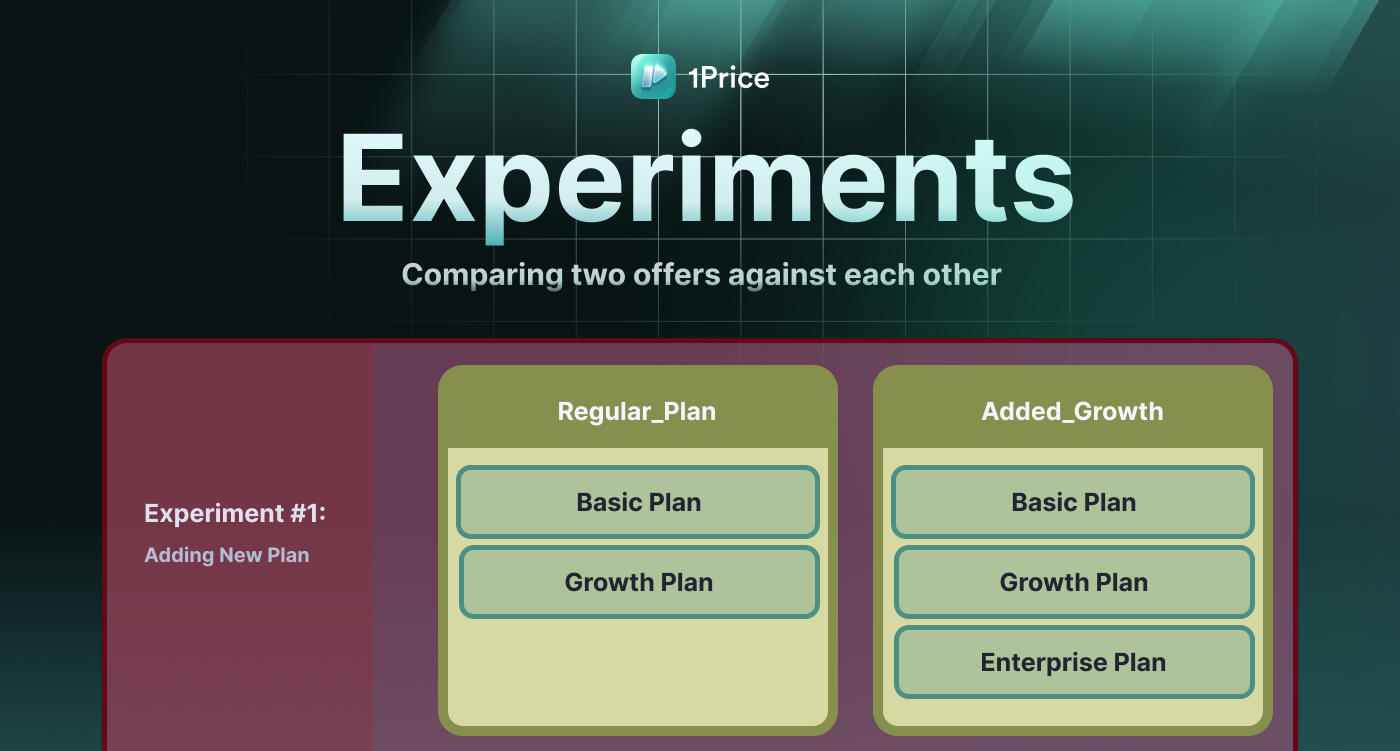 The 1Price platform allows you to create Experiments that compare two [Offerings](/build/offers)
against each other. Experiments are able to have data-driven [Results](/build/results)
that determine the better Offering.
### Experiment Configurations
After setting up your [Offerings](/build/offers) and adding them to an [Experiment](/build/experiment), 1Price will then randomly assign users to a cohort where they will only see only one of the two Offerings.
The 1Price platform allows you to create Experiments that compare two [Offerings](/build/offers)
against each other. Experiments are able to have data-driven [Results](/build/results)
that determine the better Offering.
### Experiment Configurations
After setting up your [Offerings](/build/offers) and adding them to an [Experiment](/build/experiment), 1Price will then randomly assign users to a cohort where they will only see only one of the two Offerings.
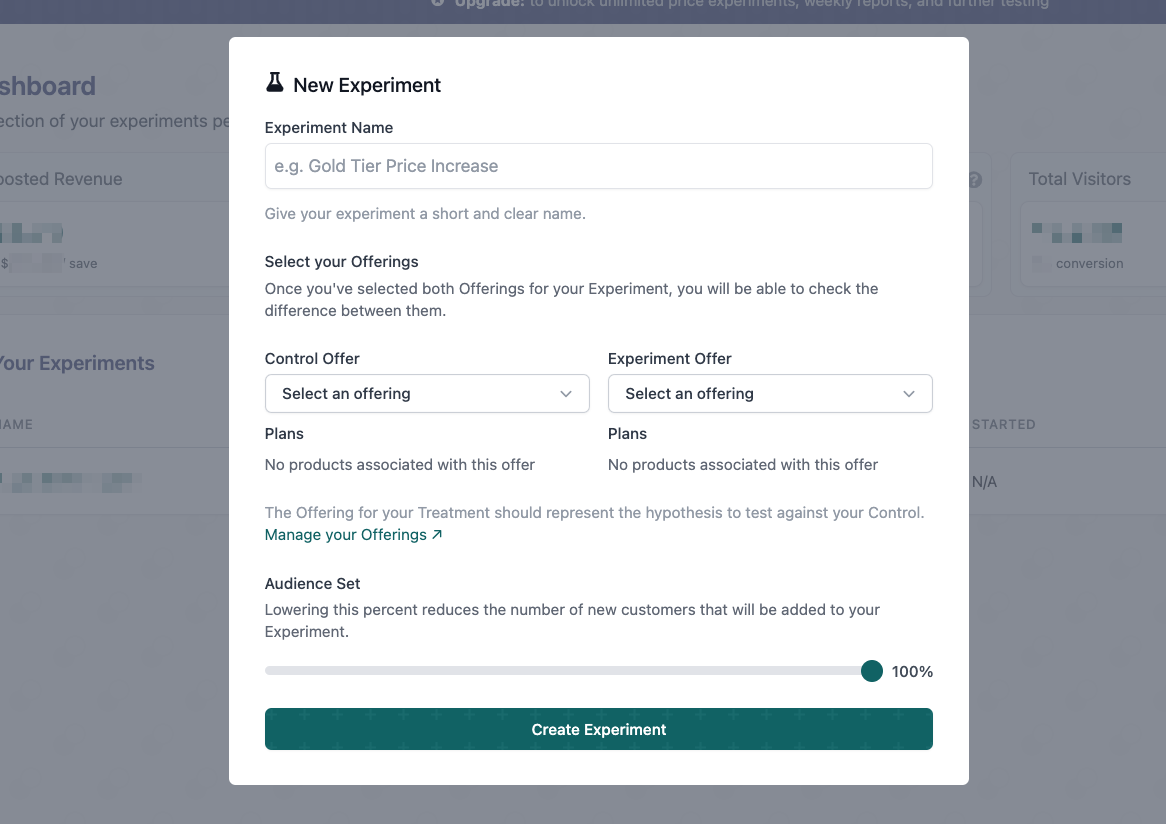
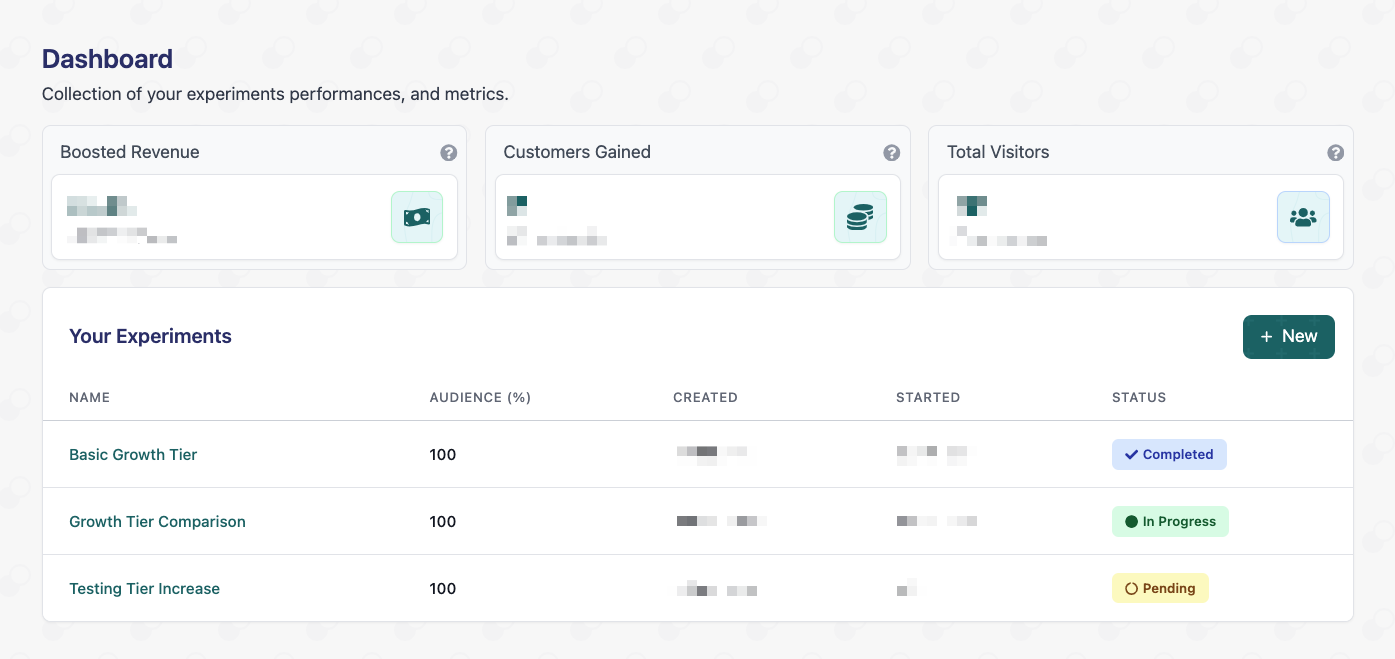 Navigate to the **Dashboard** tab and choose **+ New** then fill in the Experiment Name, Control Offering, Treatment Offering, and the size of the Audience Set. Once you've entered this information, click **Create Experiment**.
{" "}
Users are assigned to different cohorts based on the size of the `audience set`
Navigate to the **Dashboard** tab and choose **+ New** then fill in the Experiment Name, Control Offering, Treatment Offering, and the size of the Audience Set. Once you've entered this information, click **Create Experiment**.
{" "}
Users are assigned to different cohorts based on the size of the `audience set`
 ### Required Fields
The name of the experiment
The offering that will be used as the Control group
The offering that will be selected as the Treatment group
The percentage of new customers that will be exposed to the price experiment
You can increase the audience set in 10% increments based on how much of your
audience you want to be exposed to the test. Notably, the test is split evenly
based on both offerings -- for instance, a test that enrolls 10% Audience Set
would be 5% Control Offering and 5% Treatment Offering.
Experiments that are localized per country is currently in beta. Interested?
Request access [here](mailto:hello@1price.co)
### Running Multiple Tests Simultaneously
For now you can only do one test at a time -- multiple tests is currently in
beta. For early access, request it [here](mailto:hello@1price.co)
### Start an Experiment
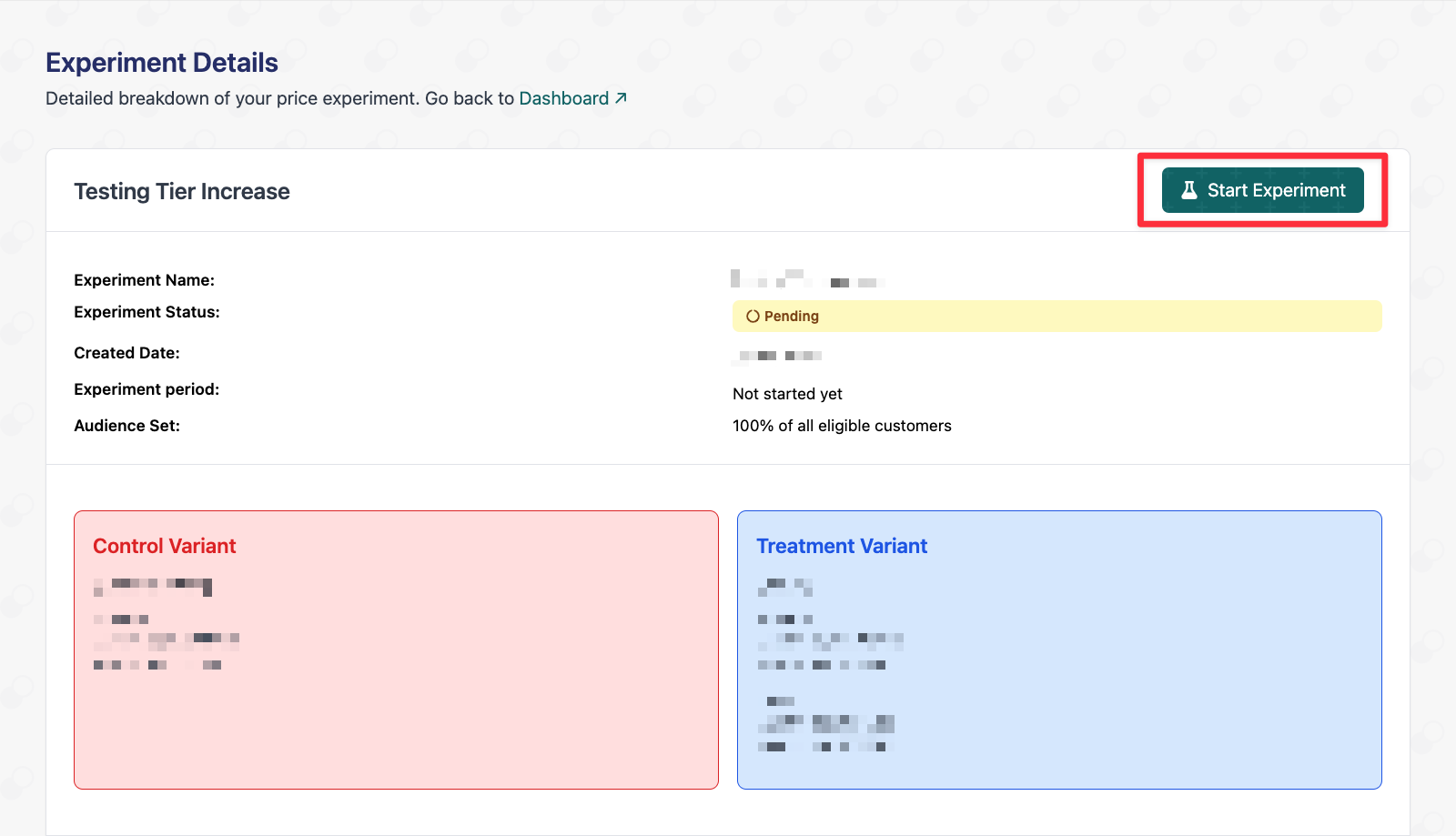
Open the details of an **Experiment** by selecting it in the Experiment Table. After reviewing the experiment, choose **Start Experiment** to begin activating the test.
The `Pending` status will be changed to `In Progress`.
### Required Fields
The name of the experiment
The offering that will be used as the Control group
The offering that will be selected as the Treatment group
The percentage of new customers that will be exposed to the price experiment
You can increase the audience set in 10% increments based on how much of your
audience you want to be exposed to the test. Notably, the test is split evenly
based on both offerings -- for instance, a test that enrolls 10% Audience Set
would be 5% Control Offering and 5% Treatment Offering.
Experiments that are localized per country is currently in beta. Interested?
Request access [here](mailto:hello@1price.co)
### Running Multiple Tests Simultaneously
For now you can only do one test at a time -- multiple tests is currently in
beta. For early access, request it [here](mailto:hello@1price.co)
### Start an Experiment
Open the details of an **Experiment** by selecting it in the Experiment Table. After reviewing the experiment, choose **Start Experiment** to begin activating the test.
The `Pending` status will be changed to `In Progress`.
 Only after starting an experiment, ensure all the [Code
Components](/quickStart/stepOne) have been properly added to your app where
there are pricing options.
### FAQs
**Can I edit the Offerings in a started experiment?**
You can edit an Offering for an active experiment, but just know that would make the results unusable. If you need to make a change to your Offerings, stop the experiment and create a new one with the updated Offerings.
**Can I run multiple experiments simultaneously?**
At the moment you can't. For early access request it [here](mailto:hello@1price.co)
**Can I add more than two offers to an experiment?**
No, as adding more offers will dilute the results of the experiment. Instead try adding multiple experiments simultaneously to achieve the same result.
**Can I edit any details after starting experiment?**
Before an experiment has been started, all aspects can be edited. However, once an experiment has been started, no details of the experiment can be changed.
**Can I restart an experiment after it's been stopped?**
After you choose to stop an experiment, new customers will no longer be enrolled in it, and it cannot be restarted. If you want to continue a test, create a new experiment and choose the same Offerings as the stopped experiment.
**What happens to customers that were enrolled in an experiment after it's been stopped?**
New customers will no longer be enrolled in an experiment after it's been stopped, and customers who were already enrolled in the experiment will begin receiving the `Default Offering` if they reach a paywall again.
Only after starting an experiment, ensure all the [Code
Components](/quickStart/stepOne) have been properly added to your app where
there are pricing options.
### FAQs
**Can I edit the Offerings in a started experiment?**
You can edit an Offering for an active experiment, but just know that would make the results unusable. If you need to make a change to your Offerings, stop the experiment and create a new one with the updated Offerings.
**Can I run multiple experiments simultaneously?**
At the moment you can't. For early access request it [here](mailto:hello@1price.co)
**Can I add more than two offers to an experiment?**
No, as adding more offers will dilute the results of the experiment. Instead try adding multiple experiments simultaneously to achieve the same result.
**Can I edit any details after starting experiment?**
Before an experiment has been started, all aspects can be edited. However, once an experiment has been started, no details of the experiment can be changed.
**Can I restart an experiment after it's been stopped?**
After you choose to stop an experiment, new customers will no longer be enrolled in it, and it cannot be restarted. If you want to continue a test, create a new experiment and choose the same Offerings as the stopped experiment.
**What happens to customers that were enrolled in an experiment after it's been stopped?**
New customers will no longer be enrolled in an experiment after it's been stopped, and customers who were already enrolled in the experiment will begin receiving the `Default Offering` if they reach a paywall again.